The Best Product Feedback Software for Your Team in 2026
Compare the best product feedback software for 2025. Find tools for collecting votes, AI prioritization, roadmaps, and closing the loop with users.
On this page
Introduction: why product feedback software matters
If you've ever started a Monday morning by digging through a Slack thread, three support tickets, and a chain of forwarded emails just to figure out what your users actually want, you already know the problem. Product feedback is everywhere, and that's precisely what makes it so hard to act on.
- Pros
- Closes the full feedback loop from collection to changelog notification
- Includes widget, portal, boards, and user voting in core offering
- Email notifications keep users informed of progress
- Roadmap view provides transparency to users
- Ideal for indie makers and small teams with straightforward workflows
- Free tier available for getting started
- Cons
- Limited to 1 site and 1 admin seat on free tier
- May lack advanced features needed by enterprise teams
- Simpler feature set compared to broader product management platforms
Product feedback software exists to fix that. Instead of letting requests pile up across a dozen different channels, these tools pull everything into one place, help you understand what matters most, and, crucially, let users know when their request ships. That last part is rarer than it should be.
The real cost of scattered feedback
Without a dedicated tool, most teams end up doing the same painful work on repeat: copying requests into spreadsheets, manually spotting duplicates, and guessing which features will have the biggest impact. That guesswork is expensive. You might spend a sprint building something only a handful of users care about while the feature that would have driven upgrades sits buried in an old email thread.
Structured feedback workflows change that equation. When requests come in through a single channel, get voted on by real users, and are ranked by actual demand, the decision of what to build next becomes a lot less political and a lot more obvious.
What modern tools actually do
Today's best product feedback software goes well beyond a simple suggestion box. The tools worth considering in 2026 typically combine:
- Centralized collection via embeddable widgets, public boards, or portals
- User voting so the loudest voice in the room doesn't automatically win
- AI prioritization to surface high-impact requests and merge near-identical duplicates automatically
- Public roadmaps that build trust by showing users what's coming
- Changelog notifications that close the loop when something ships
Finding the right fit for your team
The good news is that there's a tool for every budget and team size. Indie makers and solo founders can get started on generous free tiers. Growing SaaS teams need AI-powered prioritization and integrations with tools like Slack and Zapier. Agencies managing feedback across multiple client sites need white-label options and multi-site support without per-user pricing surprises.
Luuphub, for example, covers all three scenarios across its Free, Pro, and Studio plans, with pricing based on sites and admin seats rather than tracked users, which keeps costs predictable as your audience grows.
This guide compares the top product feedback tools by use case, pricing model, AI capabilities, integrations, and real-world fit, so you can find the one that actually matches how your team works.
Our top picks: quick summary table
Before diving into the full reviews, here's a side-by-side look at the tools covered in this guide. Use this table to quickly spot which option fits your budget, team size, and workflow, then jump to the detailed section that interests you most.
| Tool | Best for | Starting price | AI features | Key integrations | Free tier |
|---|---|---|---|---|---|
| Luuphub | Indie makers, small teams, agencies | Free (1 site) | Triage, deduplication, changelog drafts, MCP agent support | Slack, Zapier, Webhooks, REST API | Yes, no card required |
| Upvoty | Small SaaS teams | Paid plans | Limited | Basic | No |
| FeatureOS | Growing product teams | Paid plans | — | Moderate | — |
| Productboard | Enterprise product teams | Paid plans | — | Extensive | No |
A few things to keep in mind as you scan this:
- Pricing model matters as much as the price itself. Some tools charge by tracked users or monthly active users, which can get expensive fast. Luuphub's plans are priced on sites and admin seats, with unlimited submissions and end users on every tier, including Free.
- AI capabilities vary widely. Features like duplicate merging, smart triage, and automated changelog drafts can save hours each week. Not every tool offers them, and fewer still let you connect an AI agent directly to your feedback board.
- Integrations determine how well a tool fits your existing stack. Look for webhooks, Slack support, and API access if you want your feedback collection tool to talk to the rest of your workflow.
For a broader look at the category landscape, the Frill guide to product feedback software tools is a useful reference point alongside this comparison.
Read on for the full breakdown of each tool, starting with our top overall pick.
1. Luuphub: best overall for indie makers and small teams
Luuphub earns the top spot by doing something most feedback tools don't: it closes the loop. From the moment a user submits a request to the moment you ship it and notify everyone who asked, the whole cycle lives in one place. For indie makers and small teams juggling multiple products, that matters a lot.
Luuphub
Best overall for indie makers and small teams. Closes the loop from feedback submission through shipping and user notification with widget, portal, boards, voting, and changelog in one place.
Plans and pricing
Luuphub's free tier covers one site with unlimited submissions and user voting, and it requires no credit card to get started. That alone makes it worth trying before committing to anything.
The Pro plan at $190/year (roughly $15.83/month) unlocks up to 5 sites, 3 admin seats, AI triage, duplicate merging, and automated changelog drafts when features ship. It also opens up the REST API, MCP server, webhooks, Slack, and Zapier integrations.
The Studio plan at $490/year steps things up to 15 sites, 10 admin seats, 10,000 AI triage credits per month, and full white-label branding. It's built for agencies and portfolio founders who manage feedback across multiple client products.
AI features that actually save time
On Pro and above, Luuphub's AI automatically sorts incoming submissions into ideas or bugs, merges near-identical requests into a single thread, and drafts changelog posts when you mark something as shipped. If you've ever spent an afternoon untangling a pile of duplicate feature requests, the deduplication alone is a meaningful time saver.
For teams leaning into AI-assisted development, Luuphub also supports an MCP server that lets agents like Claude Code and Cursor read the highest-voted requests, open a pull request, and close the loop with voters automatically.
The pricing pledge
One standout commitment: Luuphub will never charge by tracked users, MAU, or page views. Pricing is based only on sites, admin seats, and AI volume. Submissions and end users are unlimited on every plan, including Free. For growing products, that's a meaningful difference from tools that quietly penalize you for success. Good feedback management software shouldn't punish you for getting more users.
Verdict
Luuphub is the strongest choice for makers running multiple products who want the full feedback-to-shipped loop without stitching together separate tools. The free tier lowers the barrier to entry, and the Pro plan delivers genuine AI leverage at a price that makes sense for small teams.
2. Productboard: best for enterprise product teams and complex workflows
Productboard sits at the heavier end of the product feedback software spectrum. Rather than focusing purely on feedback collection, it functions as a broader product management platform, combining feedback intake with roadmapping, prioritization frameworks, and strategic planning tools. For teams with dedicated product managers juggling multiple stakeholders, that scope can be genuinely useful.
Productboard
Best for enterprise product teams and complex workflows. A comprehensive product management platform combining feedback collection with broader product strategy tools for larger organizations.
What Productboard does well
The platform is built for complexity. Role-based permissions let you control who sees what, custom workflows support multi-stage review and approval processes, and reporting tools give leadership visibility across the product portfolio. If your team needs to align feedback with OKRs, score features against weighted criteria, or manage a roadmap across several product lines, Productboard has the infrastructure for it.
Its integration list is also substantial. For a deeper look at how it fits into the broader landscape, the Frill guide to product feedback software tools covers category comparisons worth reading.
Where it gets complicated
Productboard does not publish pricing publicly. Getting a quote means a sales conversation, which signals the kind of budget this tool typically requires. The learning curve is real too. Onboarding a team to its full feature set takes time, and smaller teams often find themselves paying for capabilities they never use.
Best for
Teams with dedicated product managers, complex approval workflows, and multi-product portfolios where structured prioritization frameworks justify the investment.
3. Upvoty: best for public voting boards and community engagement
Upvoty takes a different approach from Productboard's enterprise complexity. It strips things back to the essentials: a clean, public-facing voting board where your users can submit ideas, vote on what matters most, and watch requests move through a transparent roadmap. For SaaS teams that want community involvement front and center, that simplicity is genuinely appealing.
Upvoty
Best for public voting boards and community engagement. Strips back to essentials with a clean, public-facing voting board where users can submit ideas and vote on what matters most.
Lightweight and easy to set up
One of Upvoty's strongest selling points is how quickly you can get a feedback board live. There's no lengthy onboarding process or sales call required. The interface is straightforward, and your users don't need to learn anything new to participate. They land on a board, submit a request, and vote on others. That low friction tends to drive higher participation rates from your community.
Pricing and project limits
The catch is that pricing scales with the number of projects you manage, which can add up quickly if you're running multiple products. For a single-product SaaS, the entry price is reasonable. For agencies or portfolio founders juggling several sites, the cost climbs faster than you might expect.
AI duplicate detection and integrations
For a deeper look at how it compares across the feedback tool landscape, the Frill guide to product feedback software tools is a useful reference.
Where it falls short
Upvoty is built around public community engagement rather than internal product management. If your team needs structured prioritization frameworks, detailed internal notes, or deep workflow integrations, you'll likely feel the gaps. It's a tool that excels at collecting and surfacing community demand, but it hands the actual decision-making back to you without much scaffolding.
Best for
SaaS products that prioritize public transparency, want their users actively involved in shaping the roadmap, and don't need heavy internal workflow management on top of that.
4. FeatureOS: best for AI-powered feedback analysis and categorization
FeatureOS sits at the more sophisticated end of the product feedback software spectrum, leaning heavily into AI to help teams make sense of large volumes of incoming feedback. If your inbox is overflowing and you want a tool that does more than just collect requests, FeatureOS is worth a close look.
FeatureOS
Best for AI-powered feedback analysis and categorization. Leverages AI to help teams make sense of large volumes of incoming feedback with sophisticated analysis capabilities.

AI capabilities that go beyond basic sorting
Where many tools offer simple tagging or manual categorization, FeatureOS brings a broader AI toolkit to the table. It can automatically categorize incoming feedback, summarize threads, draft responses, and even answer help-center questions based on existing content. For teams drowning in feedback from multiple channels, that kind of automation can meaningfully reduce the time spent on triage. For a broader look at how AI is reshaping this space, the Frill guide to product feedback software tools covers the category well.
Flexible feedback workflows
FeatureOS supports both public voting boards and private feedback workflows, which gives it more flexibility than tools that only offer one or the other. Teams can choose how much visibility to give users depending on the context, whether that's a transparent public roadmap or a more controlled internal process.
Integrations and connectivity
On the integrations front, FeatureOS connects with Slack, Zapier, webhooks, and offers API access, covering the most common workflow needs for product teams.
Pricing and setup considerations
Pricing uses seat bundles with additional paid seats available, though the exact structure varies by plan and isn't always immediately clear from the outside. That lack of transparency can make budgeting tricky, especially for smaller teams. Setup also tends to require more configuration than simpler tools, so expect to invest some time before things feel dialed in.
Best for
Teams that receive high volumes of feedback and want AI to handle the heavy lifting on organization, categorization, and analysis, particularly those comfortable with a more involved onboarding process.
5. Canny: best for SaaS with built-in changelog and roadmap
Canny is one of the more established names in product feedback software, and for good reason. It brings together feedback collection, user voting, a public roadmap, and a changelog under one roof, giving SaaS teams a complete feedback-to-communication loop without needing to stitch together multiple tools. If you want users to feel genuinely heard, from the moment they submit a request to the moment you ship it, Canny covers that journey well.
Canny
Best for SaaS with built-in changelog and roadmap. An established platform bringing together feedback collection, user voting, public roadmap, and changelog in one integrated solution.
What Canny does well
The interface is clean and approachable. Most teams can get a basic feedback board up and running quickly, without a lengthy configuration process. Integrations with Slack, Zapier, webhooks, and a REST API mean it fits into most existing workflows without too much friction. The public roadmap and changelog features are particularly strong, making it easy to communicate progress to users in a way that feels polished and professional. For a deeper look at how Canny stacks up in the broader landscape, the Frill guide to product feedback software tools is worth a browse.
Where it falls short
Canny also lags behind newer competitors on AI-powered features. Tools like FeatureOS (covered above) or Luuphub, which uses AI to merge duplicates and rank requests automatically, offer more automation out of the box.
Best for
SaaS products that want a reliable, well-rounded feedback platform with strong roadmap and changelog communication, and don't need heavy AI features or white-label flexibility.
Comparison table: feature-by-feature breakdown
Choosing between tools gets easier when you can see the key differences side by side. The table below covers the five tools ranked in this article across the criteria that matter most: pricing model, AI capabilities, integrations, white-label support, and who each tool is best suited for.
See how Luuphub Free handles product feedback software Luuphub Free.
| Tool | Free tier | Sites/projects | AI features | API/MCP | White-label | Charges by MAU? | Best for |
|---|---|---|---|---|---|---|---|
| Luuphub | Yes (1 site, forever) | Up to 15 (Studio) | Triage, deduplication, ranking, changelog drafts | REST API + MCP (Pro+) | Yes (Studio) | Never | Indie makers, agencies, SaaS teams wanting full automation |
| Productboard | — | Unlimited (paid) | Roadmap AI, insights | Yes | No | Yes | Enterprise product teams |
| FeatureOS | Yes | Varies by plan | — | Yes | Varies | Varies | Growing SaaS products |
| Upvoty | No | Varies by plan | Limited | Limited | Yes (paid) | Varies | Small teams, bootstrappers |
| Canny | Yes (limited) | Varies by plan | Limited | Yes | No | Yes | SaaS with roadmap focus |
Pricing transparency and MAU billing
One dimension the table makes clear: several tools tie their pricing to tracked users, monthly active users, or page views. That model quietly penalises growth. Luuphub takes a different approach. Its pricing pledge commits to never billing by tracked users, MAU, or page views. Submissions and end users are unlimited on every plan, including Free. Plans are priced only on sites, admin seats, and AI volume.
API and MCP access
For teams building automated workflows, API and MCP server access is increasingly important. Luuphub's MCP integration lets you point an AI agent like Claude Code or Cursor directly at your highest-voted requests, so the agent can open a pull request, ship the feature, and notify every voter automatically. That kind of closed-loop automation is not widely available across the tools in this list.
For a broader look at how these tools compare across categories, the Frill guide to product feedback software tools is a useful reference point.
How we chose these product feedback tools
Putting this list together took more than a quick scan of feature pages. Here is what actually shaped which tools made the cut and how they were ranked.
Pricing transparency and growth fairness
Several tools in this space charge by tracked users, monthly active users, or page views. That model quietly penalizes you for doing your job well: the month your product takes off is the month your bill spikes. Luuphub prices only on sites, admin seats, and AI volume, never on how many people show up.
Full-loop capability
Collecting feedback is the easy part. The harder question is what happens next. We prioritized tools that support the complete journey: collection, voting, prioritization, shipping, and closing the loop with a notification back to the user who asked. Tools that stop at collection or leave the "shipped" step as a manual afterthought scored lower. The best product feedback software should make the whole cycle feel automatic, not like four separate jobs stitched together.
AI capabilities and integration breadth
AI triage, duplicate merging, and prioritization are no longer nice-to-haves for busy teams. We looked at whether AI features were genuinely useful or just a marketing checkbox. Integration depth mattered too: REST APIs, webhooks, Slack connections, and agent-friendly interfaces like MCP all factored in.
Price-point coverage
Not every team has an enterprise budget. This list deliberately spans free tiers for solo makers and indie hackers, mid-market plans for small product teams, and more capable tiers for agencies managing multiple products.
What to look for in product feedback software
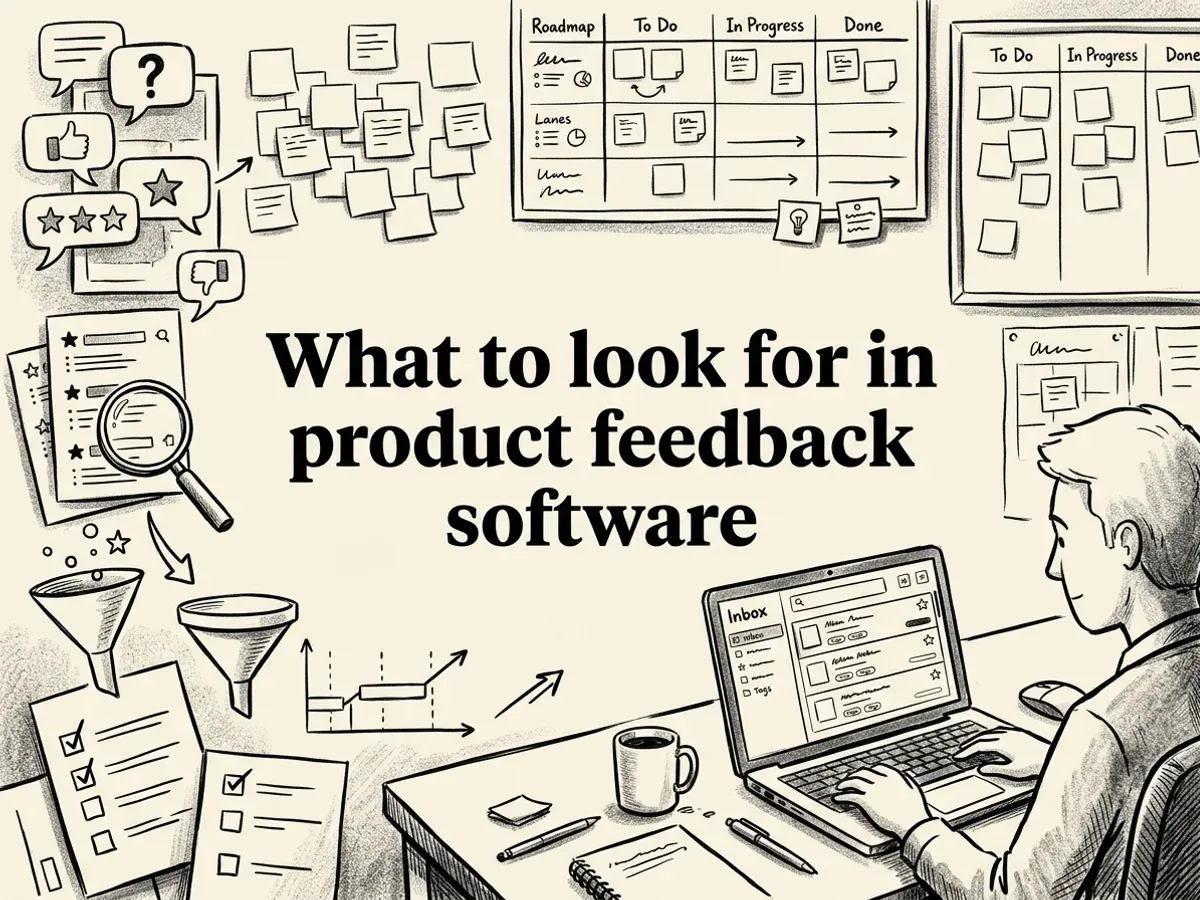
Choosing the right tool comes down to more than a feature checklist. The best product feedback software fits the way your users actually give feedback, the way your team actually works, and the way your product actually grows. Here are the key criteria worth weighing before you commit.
Feedback collection methods
Start with how users can submit feedback. A good tool offers at least a widget (embedded directly on your product) and a standalone portal for users who want to browse and add requests outside the app. Text is table stakes. Voice and video submissions are increasingly valuable for capturing nuance that a typed sentence misses. For a broader look at what collection formats are available across the market, the Frill guide to product feedback software tools is a useful reference.
Voting and prioritization
Public voting surfaces what users genuinely care about rather than what the loudest voice in a Slack channel says. AI-powered duplicate detection takes this further by merging near-identical requests into a single thread, so you see real demand instead of an inflated list. Look for tools that rank requests by actual vote weight, not just recency.
Roadmap transparency and changelog automation
Users who submit feedback and never hear back stop submitting. A public roadmap board with status columns (Under Review, Planned, Building, Shipped) keeps everyone oriented. Automated voter notifications when a request ships close the loop without any manual effort from your team.
Integrations and API access
Your feedback tool should connect to where your team already works. Slack notifications, Zapier automations, outbound webhooks, and a REST API cover most workflows. For teams experimenting with AI-assisted development, an MCP interface that lets an agent read top-voted requests and act on them is a meaningful differentiator.
Pricing model
This one matters more than it looks. Some tools charge by tracked users or monthly active users, which means your bill grows as your product succeeds. That is a misaligned incentive. Prefer tools priced on sites, admin seats, or AI usage volume. Luuphub, for example, makes a permanent commitment to never charge by tracked users or MAU, keeping submissions and end users unlimited on every plan including Free.
Team size fit
A solo indie maker needs a free tier with no credit card friction. A small product team needs AI prioritization and integrations. An agency managing ten client sites needs white-label options and multi-site support. The best tools scale across all three without forcing you to jump to an enterprise contract the moment you grow.
Budget options: free and low-cost tools
If you're not ready to commit budget, the good news is that some solid tools let you start for free. The options vary quite a bit, though, so it's worth knowing what you're actually getting before you sign up.
Luuphub Free: the most generous free tier
Luuphub's free plan covers one site with unlimited submissions and voting, a widget, boards, roadmap, and changelog. No credit card required. For an indie maker or early-stage startup just getting their feedback workflow off the ground, that's a complete loop from collection to shipped, at zero cost. The plan stays free forever, not just for a trial window.
Who this tier is for
Free and low-cost tools suit indie makers, early-stage startups, and any team that wants to explore the full landscape of product feedback options before locking in a budget. Start with what you can afford, then upgrade when the workflow proves its value.
Enterprise solutions: white-label and advanced workflows
When your team manages multiple products, client sites, or complex approval chains, you need more than a basic feedback board. This tier is built for agencies, portfolio founders, and large product teams who need branding control, multi-site management, and serious AI throughput.
Luuphub Studio
Luuphub Studio is the clearest option for agencies and portfolio founders who want everything under one roof. For $490/year, you get 15 sites, 10 admin seats, 10,000 AI triage credits per month, and full white-label branding, meaning no Luuphub badge anywhere your clients can see. The AI triage layer sorts ideas from bugs, merges duplicates, and ranks requests by real demand across every site you manage. It is priced on sites and capabilities, never on user volume, which makes costs predictable even as your client base grows.
Productboard
Productboard targets larger product organizations with custom workflows, role-based permissions, and advanced reporting. It suits teams with formal approval processes and multiple stakeholders who need structured prioritization at scale.
FeatureOS
FeatureOS offers enterprise-grade AI and customization options, with pricing available on request. It is worth evaluating if your team has specific integration or compliance requirements that off-the-shelf plans do not cover.
Who this tier is for
Agencies managing client feedback, portfolio founders running several products simultaneously, and large product teams with layered approval processes will get the most from this tier.
Industry-specific recommendations
The right tool often depends less on feature counts and more on how your team actually works. Here is a quick guide based on common team types.
SaaS products
If you are building a SaaS product and want a complete feedback-to-shipped loop, Luuphub Pro is a strong fit. It collects requests, lets users vote, uses AI to prioritize and deduplicate, and automatically notifies voters when something ships. Canny is another solid option here, particularly if your team values a polished public roadmap experience. For a broader look at how these tools compare across categories, the Frill guide to product feedback software tools is worth a read.
Agencies and portfolio founders
Luuphub Studio is built for this use case. White-label feedback collection across up to 15 client sites, with no per-user billing, makes it a practical choice for agencies who need to run feedback operations at scale without surprising clients with usage-based invoices.
Internal tools and enterprise software
Productboard suits teams with complex prioritization workflows and deep integration requirements, including Jira connectivity.
Community-driven products
Upvoty focuses on transparent voting and community engagement, making it a natural fit for products where public input and visible prioritization are central to the experience.
Conclusion: choosing the right feedback tool for your team
Picking the right product feedback software comes down to a handful of practical questions. Answer those honestly and the right tool tends to reveal itself.
Match the tool to your team size and budget
If you are a solo maker or just getting started, a free tier is the sensible place to begin. Luuphub Free covers one site with core collection, voting, roadmap, and changelog at no cost and no credit card required. Small teams and indie hackers who need AI prioritization and integrations across multiple sites will find the Pro and Studio plans ($190 to $490 per year, billed annually) cover most workflows without a large upfront commitment. For a broader look at how tools compare across categories, the Frill guide to product feedback software tools is a useful reference.
Prioritize closing the loop, not just collecting
Collection is table stakes. The real differentiator is whether your tool automatically notifies voters when a request ships. Without that step, users assume their feedback disappeared into a void and stop submitting. Make sure any tool you evaluate has roadmap visibility and voter notifications built in, not bolted on as an afterthought.
Test before you commit
Most tools, including Luuphub, offer a free tier or trial that lets you validate your actual workflow before spending anything. Run a real feedback cycle: submit a request, vote on it, move it through the roadmap, and ship a changelog entry. If that loop feels clunky, move on.
Watch out for pricing traps
Some tools charge by tracked users or monthly active users, which means your bill grows as your product succeeds. That is a misaligned incentive. Prioritize tools that price on sites, seats, or capabilities instead, so growth stays a win rather than an invoice.
Frequently asked questions
What is the best product feedback software?
The best choice depends on your team size and workflow. For indie makers and small teams, Luuphub covers the full loop from collection to changelog in one place. Larger teams with complex roadmapping needs might lean toward Productboard, while budget-conscious teams often start with a free tier and scale from there.
What is the best free product feedback tool?
Luuphub's free tier gives you a widget, voting board, roadmap, and changelog for one site with no credit card required. It handles the complete feedback cycle at no cost, making it a strong starting point for solo makers and early-stage products.
How do I collect and prioritize customer feature requests?
Embed a feedback widget on your product, let users submit and vote on requests, then use voting data or AI ranking to surface what matters most. Tools with AI-powered duplicate merging save extra time by collapsing near-identical requests into a single thread automatically.
What is the difference between product feedback software and product management software?
Product feedback software focuses on capturing, organizing, and responding to user input. Product management software is broader, covering sprint planning, task management, and team workflows. Many teams use both, though some feedback tools include lightweight roadmapping that reduces the need for a separate tool.
How much does product feedback software cost?
Pricing varies widely. Watch for tools that charge by tracked users or MAUs, since those costs scale with your growth in ways that can surprise you.
Which product feedback tools integrate with Slack, Intercom, Zendesk, or Jira?
Integration support varies by plan. Luuphub's Pro and Studio plans include Slack, webhooks, and Zapier, which covers most common workflows. Productboard and FeatureOS also offer integrations, though the specific connections and plan requirements differ, so check each tool's documentation before committing.
How do product feedback tools use AI to organize duplicate requests?
AI triage works by comparing incoming submissions against existing threads and merging near-identical ones automatically. Luuphub's Pro plan applies this on every new submission, so your inbox stays clean without manual review. This is particularly useful when the same feature request arrives from dozens of users in slightly different words.
What is the best alternative to Productboard, Upvoty, or FeatureOS?
If you want a lighter, more affordable option that still closes the full feedback loop, Luuphub is worth evaluating. It combines collection, voting, AI prioritization, roadmap, and changelog in one tool, and its pricing is based on sites and seats rather than user volume, which makes it predictable as you grow.