7 Expert Tips for Selecting the Right User Feedback Platform
Learn expert strategies for selecting, implementing, and maximizing a user feedback platform to close the loop from user request to shipped product.

On this page
Introduction: why feedback platforms matter for product teams
Picture this: a user emails a bug report on Monday. A different user posts the same bug in your Slack community on Wednesday. A third user submits it through a contact form on Friday. By the following week, you have three separate threads describing the same problem, buried across three different tools, and no clear picture of how many people are actually affected.
This is the reality for most product teams before they adopt a dedicated user feedback platform. Requests, bugs, and ideas scatter across email inboxes, Slack channels, support tickets, and spreadsheets. Important signals get lost. Priorities get set by whoever shouts loudest rather than by actual user demand.
What a good feedback platform actually does
The best platforms do more than just collect feedback. They centralize everything into a single inbox, surface what matters most through voting and prioritization, and, critically, close the loop by notifying users when their requested feature ships. That last step is where most teams fall short. Collecting feedback is easy. Acting on it visibly, and telling users you did, builds the kind of trust that keeps people coming back.
Tools like Luuphub are built around exactly this idea: gathering every idea, bug, and request in one place, letting users vote on what matters, and automatically notifying voters when something ships.
What this guide covers
Choosing the right platform is not just a tooling decision. It shapes how your team prioritizes, how users feel heard, and how fast you can move. The seven tips in this guide give you a practical framework for evaluating your options and getting real value from whichever platform you choose.
Top 3 quick wins to implement immediately
Before diving into the full evaluation framework, three changes will move the needle faster than anything else. Each one is practical, low-effort to set up, and directly addresses the most common reasons product teams waste time on feedback.
Consolidate everything into a single inbox
The average product team juggles feature requests in Slack threads, bug reports in support tickets, and wishlist emails buried in someone's inbox. The result is not just inefficiency. It is invisible demand: requests that never get counted because they never land in the same place.
Pulling all of that into one feedback collection tool is the fastest way to see what users actually want. Tools like Luuphub embed a widget directly on your site so every idea, bug, and request flows into one board automatically, with nothing lost to a side channel. For a broader look at how different tools handle this, the Contentsquare guide to user feedback tools is a useful reference.
Turn on public voting
Once feedback is centralized, the next question is: what gets built first? Guessing is expensive. Public voting hands that decision to the people with the most skin in the game: your users.
When users can upvote requests, real demand rises to the top without your team spending hours manually tagging and sorting. It also signals to users that their voice counts, which tends to generate more thoughtful, higher-quality submissions over time.
Close the loop automatically
This is the step most platforms skip entirely. A user submits a request, it gets built, and they never hear about it. That silence erodes trust faster than a slow roadmap ever could.
Setting up automatic notifications so that every voter hears when a feature ships turns a passive user into an engaged advocate. It costs almost no extra effort once the system is in place, and it is the difference between a feedback tool and a genuine feedback loop.
Collection strategy: gathering feedback that actually informs decisions
Closing the loop matters, but only if you collected the right feedback in the first place. The best user feedback platform in the world cannot fix a collection strategy that puts the wrong widget in the wrong place or buries users under survey requests.
Put collection where friction already lives
The most valuable feedback comes from users at the exact moment they hit a problem. That means placing your feedback widget on high-traffic pages where confusion is most likely: pricing pages, onboarding flows, checkout steps, and feature-heavy dashboards. A widget sitting quietly on a contact page captures almost nothing useful.
Think of it less like a form and more like a tap on the shoulder at the right moment.
Combine channels without creating chaos
Text submissions catch the basics, but voice and video notes add a layer of context that typed feedback rarely delivers. A user who records a 30-second clip explaining why a feature confused them gives you something no star rating ever could. The catch is that audio and video only become searchable and actionable when they are transcribed. Pro transcription turns those recordings into text you can scan, tag, and act on.
For a broader look at how different collection methods compare, the Contentsquare guide to user feedback tools covers the tradeoffs across channel types in useful detail.
The real risk with multiple channels is fragmentation. Feedback arriving via widget, email, Slack, and a public portal quickly becomes five separate inboxes and a growing pile of duplicates. Routing everything into one unified inbox, the approach feedback management software is built around, prevents the same request from being logged three times by three different teammates.
Luuphub handles this by feeding widget submissions, a public feedback portal, and board activity into a single inbox. Nothing gets lost to a side thread.
Avoid the survey fatigue trap
Frequent survey emails train users to ignore you. Lightweight, in-product collection embedded naturally into the experience asks for input once, at the right moment, without interrupting the user's flow. That shift alone tends to improve both response quality and the relationship users have with your product.
Prioritization and triage: turning volume into signal
Once feedback starts flowing in volume, the real challenge shifts from collection to comprehension. A hundred submissions a week is a success story until you realize someone has to read all of them. This is where the right product feedback software earns its place, not just as a collection bucket but as a triage engine.
AI classification: sorting ideas from bugs automatically
Manual triage is a tax on your attention. Every minute spent labeling "is this a bug report or a feature request?" is a minute not spent building. AI-assisted classification reads each incoming submission and sorts it into the right category automatically, so your inbox arrives pre-organized. For teams handling dozens of submissions daily, that compounds into hours recovered each week.
For a broader look at how language models are being applied to this problem at scale, the ZenML LLMOps overview of LLM-powered feedback classification is worth reading.
Duplicate detection: one thread, not fifty
The same feature request arrives from different users worded differently. Without merging, your inbox fills with near-identical tickets that each look like isolated signals. Duplicate detection consolidates them into a single thread, so you see the true weight of a request rather than a fragmented pile. Luuphub Pro does this automatically, merging duplicates and ranking by real demand so the most-wanted items surface without you having to count manually.
Ranking by demand, not gut feel
Vote counts are a starting point, but real prioritization layers in user segment and request frequency. Set explicit thresholds before you start: decide in advance how many votes, or from which user types, triggers a roadmap commitment. Without that rule, every decision still defaults to whoever spoke loudest in the last meeting.
AI themes: patterns across hundreds of submissions
Reading every submission individually stops scaling fast. AI theme detection groups submissions by underlying topic, letting you spot a pattern across two hundred requests in seconds rather than hours. This is what turns raw volume into genuine product signal.
Closing the loop: keeping users engaged from request to ship
Turning feedback into signal is only half the job. The other half is letting users know their voice actually changed something. Most feedback tools stop once the message lands in your inbox. The platforms worth choosing carry that message all the way back to the person who sent it.
Publish a public roadmap
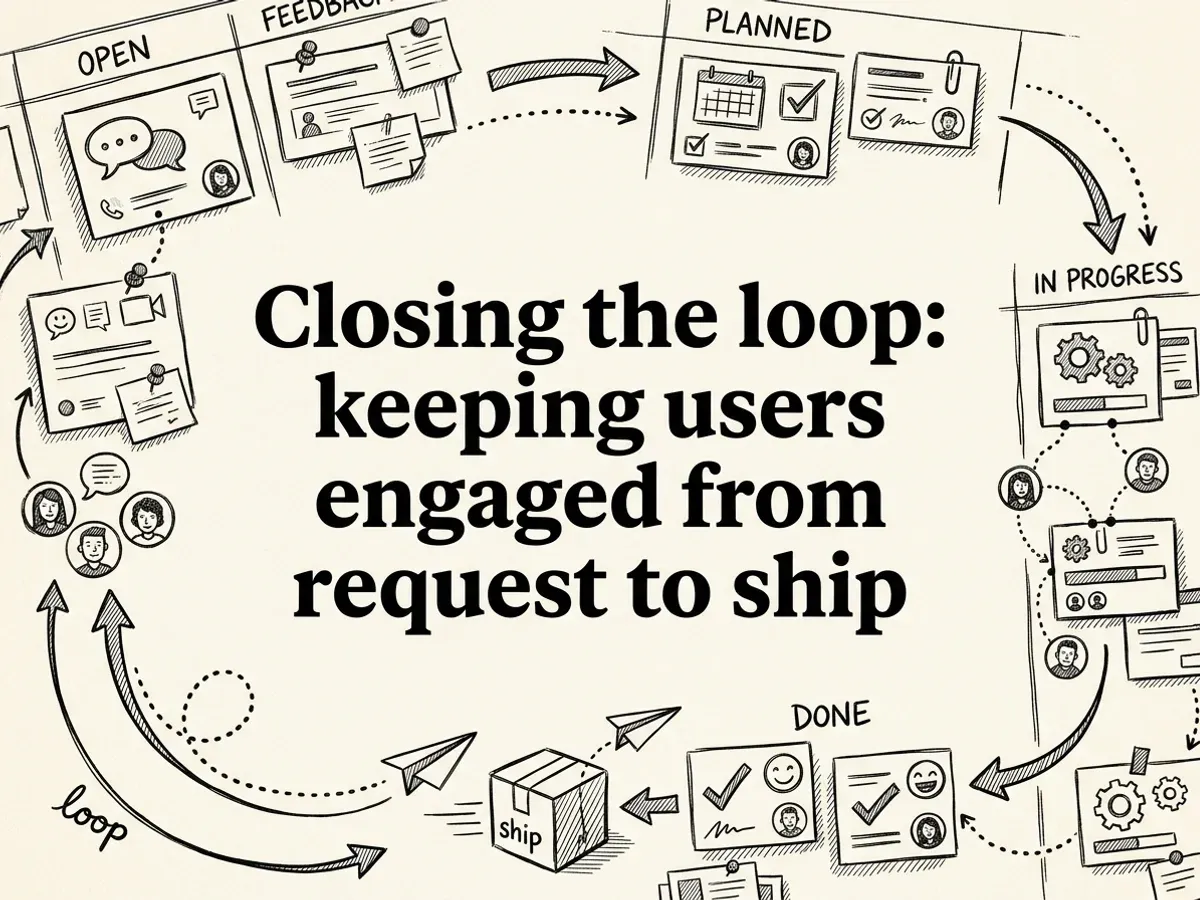
A public roadmap does something simple but powerful: it makes your process visible. When users can watch their request move from Open to Planned to In Progress to Done, they stop wondering whether anyone read their message. That visibility builds trust in a way that no status-update email can replicate. For a broader look at how leading tools handle this workflow, the Contentsquare guide to user feedback tools is worth bookmarking.
Send automatic notifications when features ship
Visibility alone is not enough if users have to check back manually. Automatic notifications, sent to everyone who voted for a feature the moment it ships, create genuine accountability. The user who asked for dark mode six months ago gets an email saying it just launched. That single touchpoint closes the loop without any manual effort on your team's side.
Luuphub handles this automatically: every voter on a request gets notified when the status moves to Done, so the loop closes itself. Pair that with a changelog entry that links back to the original feedback thread, and you give users a clear narrative from request to reality.
Close the loop on rejected ideas too
Saying no is still part of the loop. When a request will not ship, a brief explanation, and where possible a suggested alternative, turns a disappointment into a demonstration that you listened. Users who feel heard even when the answer is no are far more likely to keep submitting useful feedback.
Measure engagement with shipped notifications
Track how many users open or click through shipped notifications. Low engagement is a signal that your roadmap updates are not landing clearly, or that users have already disengaged. If you want to build a more structured system around this, the guide to building a feature request system that actually works covers the mechanics in depth.
Common mistakes to avoid when implementing a feedback platform
Implementing a feedback platform requires careful planning to avoid common pitfalls. Teams often struggle with poor change management, inadequate training, unclear objectives, and insufficient stakeholder buy-in. Understanding these frequent mistakes helps ensure successful adoption and maximizes the platform's effectiveness for gathering actionable customer insights.
See how Luuphub Free handles user feedback platform Luuphub Free.
Collecting feedback and then going silent
This is the most damaging mistake of all. Users who submit ideas and never hear back stop submitting. They also stop trusting the product. Feedback without visible action is worse than no feedback system at all, because it signals that you are not listening.
Ignoring low-vote requests from key accounts
Vote counts are useful, but they are not the whole picture. A feature requested by five enterprise customers or your most active power users can matter far more than one with fifty votes from casual visitors. Volume is one signal. Context is another.
Treating your feedback platform like a support inbox
Feedback platforms are built for ideas, requests, and prioritization. Routing bug reports and urgent support tickets through the same channel muddies both. For a broader look at how different tools serve different purposes, the Contentsquare guide to user feedback tools is a useful reference.
Skipping deduplication
When fifty users report the same missing feature as fifty separate threads, prioritization becomes guesswork. Luuphub Pro handles this automatically, using AI to merge duplicate requests into a single thread so the real demand behind an idea becomes clear rather than getting buried in noise.
Keeping your roadmap private
Transparency reduces duplicate submissions and builds trust. When users can see that their request is already planned, they stop resubmitting it and start watching for the update instead.
Setting it up and forgetting to promote it
A feedback widget that nobody knows about collects nothing. Announce it in your onboarding flow, mention it in release notes, and link to it from your support pages. Adoption is an ongoing communication effort, not a one-time launch.
Tools and integration strategies for your workflow
Choosing the right platform is only half the equation. How that platform connects to your existing workflow determines whether feedback actually influences what you build, or just sits in another inbox nobody checks.
Pipe feedback into the tools your team already uses
REST APIs and webhooks are the connective tissue of a modern feedback stack. When a new request lands, a webhook can push it straight into your project management system, trigger a Slack notification, or kick off a Zapier automation. The result: your team sees feedback in context, not siloed in a separate dashboard. For a broader look at how integrations factor into platform selection, the Contentsquare guide to user feedback tools covers this well.
Luuphub Pro includes REST API access, webhooks, Slack, and Zapier out of the box, so the feedback-to-task pipeline is something you configure once rather than rebuild every sprint.
Let AI agents act on your highest-voted requests
MCP (Model Context Protocol) support takes integration a step further. Instead of a human reading the top requests and deciding what to build, an AI agent like Claude Code or Cursor can read your highest-voted items, open a pull request, and notify everyone who asked, automatically. This is genuinely new territory for product teams, and it collapses the gap between "users want this" and "it shipped."
Capture context that text alone misses
Voice and video transcription matters more than most teams expect. A user recording a short clip while struggling with a UI reveals friction that a typed sentence rarely captures. For usability feedback especially, that extra context changes how you interpret the request entirely.
White-label for agencies
If you manage feedback across multiple client sites, white-label support lets you run the whole operation under your own brand. Luuphub Studio is built for exactly this, covering up to 15 sites with no Luuphub badge in sight.
Scaling feedback operations as your user base grows
Growth is exciting until your feedback inbox starts looking like a support queue with no end in sight. The teams that handle this well don't just work harder. They build systems that scale with them.
Assign ownership by category
When everyone is responsible for feedback, nobody really is. Assign specific team members to own categories like bugs, feature requests, and UX issues. This keeps requests from quietly aging out while waiting for someone to pick them up.
Set response SLAs before you need them
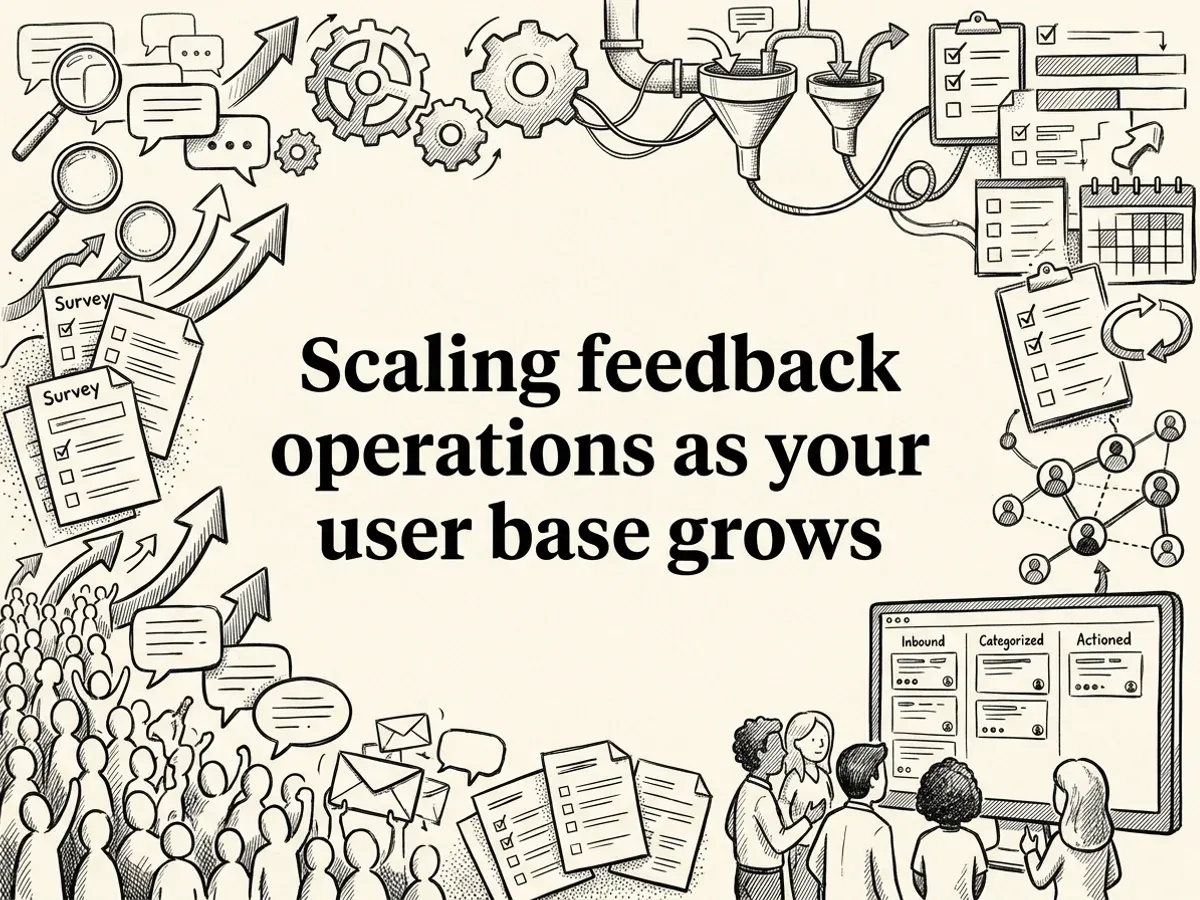
Commit to acknowledging feedback within 48 hours and updating its status at least once a week. Users who hear nothing assume nothing is happening. A simple status move from "Open" to "Planned" does more for trust than a lengthy reply ever could. For a broader look at how teams structure this, the Contentsquare guide to user feedback tools covers how different platforms handle status workflows.
Catch patterns early with AI themes
Don't wait until 100 users have filed the same complaint before you notice a trend. Luuphub Pro's AI themes surface emerging patterns as they form, grouping similar requests and merging duplicates automatically. Catching something at 10 reports instead of 100 means you fix it before it becomes a retention problem.
Segment by user type
Power users, free-tier users, and enterprise accounts rarely want the same things. Segment your feedback by user type so you can weigh requests in context. A feature that five enterprise accounts are asking for may deserve more weight than 50 requests from users who have never converted.
Archive completed feedback regularly
Keep your active inbox focused by archiving completed feedback after 30 days. Closed threads have a way of cluttering the view and making current priorities harder to spot. A clean inbox is not just tidier. It is genuinely faster to work from.
Beginner vs. advanced implementation approaches
Where you start with a feedback platform depends entirely on where your team is right now. A solo maker shipping their first SaaS product has different needs than a nine-person product team drowning in duplicate tickets.
Starting out: build the habit first
If you are new to structured feedback collection, resist the urge to configure everything at once. Add a simple widget to your site, let submissions land in one inbox, and commit to reading them every day. That daily habit matters more than any feature you could enable.
Public voting is your best friend at this stage. When users vote on each other's ideas, they do your prioritization work for you. You still decide which votes carry weight, but you are no longer guessing in the dark. Luuphub Free gives you exactly this setup for one site with no credit card required: a widget, a voting board, and a roadmap to move requests across as you act on them.
Scaling up: let automation carry the load
Once submissions start arriving faster than you can read them, manual sorting becomes a bottleneck. This is when AI triage earns its place. Luuphub Pro automatically sorts incoming feedback into ideas and bugs, merges duplicates into single threads, and surfaces what real demand looks like across hundreds of submissions.
The next level is connecting AI agents directly to your feedback data. Luuphub's MCP integration lets tools like Claude Code or Cursor read your highest-voted requests, open a pull request, and close the loop with every voter automatically. For a broader look at how LLMs handle feedback at scale, the ZenML overview of scaling user feedback analysis is worth reading.
At the most advanced end, teams layer behavioral analytics on top of feedback data, correlating feature requests with retention or churn signals to understand not just what users are asking for, but which requests are tied to the users most likely to stay.
Success metrics and measuring feedback platform ROI
Choosing the right platform is only half the job. Knowing whether it's actually working is the other half. These are the numbers worth tracking once your feedback loop is running.
Submission volume
Too few suggests the widget is buried or users don't trust the process. Too many, without a clear triage system, and you're back to the same noise problem you started with.
Prioritization speed
How long does it take from a submission landing to a roadmap decision being made? If that window isn't shrinking, your platform isn't doing its job. A well-configured system, especially one with AI triage, should cut that time significantly. Aim for at least a 50% reduction compared to your previous process.
Voting adoption
Look at what percentage of your user base has voted on at least one request. Low adoption often means users don't know the board exists, or they've submitted once and never came back. A public roadmap that updates visibly keeps people returning. Tools like Luuphub surface the roadmap and changelog together, which gives users a reason to check in after they've submitted something.
Roadmap sourcing
Track how many shipped features originated from user requests. If few shipped features trace back to user requests, you may be building in a vacuum.
Notification engagement
When users see that the thing they asked for actually shipped, they respond. Luuphub automatically notifies every voter when a request moves to done, closing the loop without any manual effort. Hearing back that their request shipped may encourage users to stay engaged, which makes it a quieter but meaningful signal to watch.
For a broader view of how teams evaluate these tools, the Contentsquare guide to user feedback tools covers the evaluation landscape well.
Frequently asked questions
What is a user feedback platform?
A user feedback platform is a dedicated tool for collecting, organizing, and acting on input from your users, whether that is feature requests, bug reports, or general ideas. Unlike a support inbox or survey tool, it keeps feedback visible, prioritized, and connected to your roadmap.
How do user feedback platforms work?
Most platforms embed a widget on your site where users submit requests and vote on existing ones. The software then aggregates that input, surfaces what matters most, and lets your team move items through a roadmap while notifying users when something ships.
What features should a user feedback platform have?
Look for voting, duplicate detection, a public roadmap, changelog, and automated notifications. AI-powered triage, like the kind Luuphub Pro offers, adds meaningful time savings by merging duplicates and sorting ideas from bugs automatically.
What is the difference between customer feedback software and a survey tool?
Survey tools capture one-time, structured responses. A user feedback platform like Luuphub creates an ongoing, two-way loop where users submit ideas freely, vote on priorities, and hear back when their request ships.
Are user feedback platforms worth it for startups and SaaS companies?
Yes. Centralizing feedback prevents ideas from getting lost across Slack and email, and closing the loop with users builds trust that directly supports retention.