The Complete Guide to Choosing and Using Feedback Collection Tools
Learn how feedback collection tools work, compare top options, and implement a closed-loop system to turn user requests into shipped features.
Introduction: why feedback collection tools matter
Picture this: a user emails your support inbox asking for a dark mode option. Two weeks later, someone posts the same request in your community Slack. A month after that, three more users leave reviews on a directory site mentioning the same thing. Meanwhile, your team is halfway through building a feature nobody asked for.
This is not a hypothetical edge case. It is the default state for most product teams, and it quietly kills momentum.
The scattered feedback problem
Feedback does not arrive in one tidy place. It lands in support tickets, email threads, Slack channels, Twitter mentions, app store reviews, and customer calls. Each channel captures a fragment of what users actually want, but no single person on the team ever sees the whole picture. The result is a kind of organizational blindness: you are surrounded by signal and still making decisions based on gut feel.
The cost is real. Duplicate requests go unnoticed, so the same problem gets logged five times and never prioritized. High-impact ideas get buried under noise. Users who took the time to share feedback never hear back, which erodes trust and discourages future input. And product roadmaps end up shaped by whoever shouted loudest in the last team meeting rather than by actual user demand.
Why centralized feedback changes the equation
A dedicated feedback collection tool brings every request, bug report, and idea into one place. Users vote on what matters most, which surfaces genuine demand rather than anecdotal urgency. Teams can move requests across a visible roadmap, and when something ships, the people who asked for it get notified automatically. That last step, closing the loop, is where most ad-hoc systems fall apart completely.
This kind of structure is also the foundation of product-market fit. When you can see, in aggregate, what your users are asking for and how many of them want the same thing, you stop building in the dark. You build what the market is actually pulling for.
Tools like Luuphub are designed specifically around this workflow. The free tier lets you embed a widget on your site, collect requests and bug reports in one inbox, and let users vote on priorities, all without a credit card. It is a practical starting point for any team that wants to replace scattered channels with a single, organized feedback loop.
What this guide covers
Over the next sections, you will find a structured walkthrough of everything that matters when choosing and using a feedback collection tool: the types of tools available, the features worth paying for, how to evaluate options against your team's actual workflow, and how to build a feedback process that genuinely informs what you ship next. Whether you are a solo maker, a growing SaaS team, or an agency managing feedback across multiple client products, this guide is built for you.
Table of contents
Original outline
- Introduction: why feedback collection tools matter
- What is a feedback collection tool?
- Types of feedback collection tools
- Key features to look for
- How to evaluate tools for your workflow
- Feedback collection for indie hackers and solo makers
- Feedback collection for product teams
- Feedback collection for agencies and portfolio founders
- How to set up your first feedback system
- Prioritizing feedback: turning signals into decisions
- Closing the loop with users
- Integrations and automation
- Common mistakes to avoid
- How to choose the right tool for your stage
- Conclusion and next steps
Jump to whichever section matches where you are right now. Not sure where to start? Section 5 is a good anchor point for most readers.
What is a feedback collection tool?
A feedback collection tool is software that gathers, organizes, and helps you act on input from your users. At its core, it gives people a structured way to tell you what they want, what is broken, and what could be better, then makes sure that information actually reaches the people building the product.
That last part matters more than it sounds. Plenty of teams already receive feedback. It arrives in support emails, Slack messages, app store reviews, and the occasional tweet. The problem is not volume. The problem is that scattered feedback is nearly impossible to act on systematically. A feedback collection tool pulls all of that signal into one place and gives it structure.
How it differs from surveys, support tools, and analytics
It is easy to confuse feedback collection tools with the other software that touches user input. Here is how they differ:
- Surveys capture a snapshot of opinion at a single moment. They are great for measuring satisfaction scores or validating a hypothesis, but they are passive. Users respond when you ask, not when they have something to say.
- Support ticketing systems are built around resolving individual problems. They track whether an issue was closed, not whether the underlying need was addressed across your whole user base.
- Analytics platforms tell you what users are doing, not why. A drop-off in your onboarding funnel is visible in analytics. What users wish you had built instead is not.
A feedback collection tool sits in a different lane. It is designed to capture ongoing, unsolicited input and turn it into a prioritized picture of what your users actually want.
The feedback lifecycle
Good feedback tools do not just collect. They move input through a complete lifecycle:
- Collection: Users submit feature requests, bug reports, and ideas through an embedded widget, a public portal, or a dedicated board.
- Organization: Submissions are sorted, tagged, and deduplicated so you are not staring at forty variations of the same request.
- Prioritization: Voting, AI ranking, or both surface which requests represent the most real demand.
- Action: The team moves items across a roadmap, from "under review" through to "shipped."
- Communication: Users who asked for something get notified when it lands.
That last step is where most tools fall short. Collecting feedback without closing the loop is a one-way conversation, and users notice.
What types of feedback do these tools capture?
The input that flows through a feedback collection tool typically falls into four buckets:
- Feature requests: Things users want the product to do that it does not do yet
- Bug reports: Broken behavior that needs fixing
- Ideas: Exploratory suggestions that may or may not become features
- Pain points: Friction in the current experience, often expressed as frustration rather than a specific ask
Tools like Luuphub are built around exactly this mix. The free tier lets users submit requests and vote on what matters most, while the widget and public board give the whole process a visible home. It is a practical starting point for any team that wants to stop losing feedback to email threads and Slack channels.
Types of feedback collection tools and their use cases
Not all feedback collection tools are built the same way, and choosing the wrong type for your context is one of the most common mistakes teams make. A survey tool is great for structured research but terrible for capturing spontaneous bug reports. A community forum thrives with an engaged user base but falls flat for a product with a small, quiet audience. Understanding the landscape helps you pick the right instrument for the job.
In-product feedback widgets
Widgets are small, embeddable components that live directly inside your app or website. Because they appear exactly where users are already working, they capture feedback in the moment, before frustration fades or enthusiasm cools. The barrier to submission is low: no new tab, no login, no separate form to hunt down.
This frictionless quality makes widgets especially valuable for bug reports and feature requests. Luuphub takes this approach a step further by combining the widget with a public voting board, so every submission immediately enters a shared pool where other users can signal agreement. Even on the free tier, that single script tag gives a product its entire feedback loop in one place.
Standalone feedback portals
A dedicated feedback portal is a separate page or subdomain where users can browse existing requests, add their own, and vote on what matters most. Portals work well when you want transparency, giving your community visibility into what has been requested and what is being considered.
The tradeoff is discoverability. Users have to know the portal exists and feel motivated enough to visit it. Portals tend to perform best when they are actively promoted in onboarding flows, help docs, and email footers.
Survey and form tools
Surveys and structured forms are the right choice when you need specific, comparable answers across a large group. Net Promoter Score surveys, post-onboarding questionnaires, and churn exit forms all fall into this category. Because you control the questions, the data is clean and easy to analyze.
The limitation is that surveys capture what you think to ask, not what users actually want to tell you. They are a complement to open-ended feedback channels, not a replacement.
Community and forum platforms
Discussion forums and community boards let users talk to each other, not just to your team. Peer voting surfaces popular ideas organically, and the conversation threads often reveal context that a single-line feature request never would.
These platforms require ongoing moderation and a critical mass of active users to stay healthy. For early-stage products or smaller user bases, a community forum can feel like a ghost town. They tend to shine for developer tools, open-source projects, and consumer products with genuinely passionate communities.
Support ticket integration
Every support conversation is a data point. When a user writes in asking how to do something, that is often a sign of a UX problem. When the same question appears ten times in a week, it is almost certainly a product gap. Integrating your support inbox with your feedback workflow, whether through tagging, automation, or manual triage, turns reactive conversations into proactive product intelligence.
The challenge here is volume and noise. Support tickets mix genuine product feedback with one-off issues, billing questions, and user errors. Filtering signal from noise takes deliberate effort.
Review aggregators
App store reviews, G2 listings, Capterra pages, and social media mentions all contain unsolicited, unfiltered feedback. Review aggregators pull these sources together so you can spot patterns without manually trawling each platform.
Because this feedback is public and unprompted, it often reflects strong opinions at both ends of the spectrum: delighted users and frustrated ones. It is a useful reality check but rarely sufficient on its own.
Conversational AI collection
Chatbots and voice-based tools can guide users through a feedback conversation dynamically, adjusting follow-up questions based on what someone says. This approach can feel more natural than a static form and tends to produce richer qualitative data.
The category is still maturing. Conversational collection works well for user research interviews at scale, but it requires careful design to avoid feeling intrusive or robotic.
Most mature products use a combination of these types. The next section walks through how these tools actually work under the hood, so you can evaluate any option with a clearer eye.
How feedback collection tools work: the mechanics
Understanding the mechanics behind a feedback collection tool helps you evaluate options more critically and set one up in a way that actually delivers value. Most tools follow a similar pipeline, even if the terminology differs. Here is how that pipeline typically unfolds, step by step.
Step 1: Collection channels
Everything starts with how feedback enters the system. The most common entry points are:
- Embedded widgets placed directly on your site or app, so users can submit without leaving the page
- Standalone portals where users visit a dedicated URL to browse existing requests and add their own
- Email forwarding or integrations that pull in feedback from support inboxes, Slack channels, or Zapier workflows
- APIs and MCP connections that let developers or AI agents push and pull feedback programmatically
The goal at this stage is to reduce friction. Every extra step between a user having a thought and that thought reaching you is a place where feedback disappears. Tools like Luuphub combine a widget, portal, and boards into a single entry surface, so nothing gets lost to a Slack thread or a forgotten email chain.
Step 2: Centralization into a single inbox
Once feedback arrives through multiple channels, a good tool funnels it into one place. This sounds obvious, but it is the step most teams skip when they are cobbling together spreadsheets and email labels. A unified inbox means every idea, bug report, and feature request is visible in one view, regardless of where it came from.
Step 3: Organization and tagging
Raw feedback is noisy. The next step is making sense of it, either manually or with AI assistance. Manual tagging means a team member reads each submission and assigns a category, like "bug," "feature request," or "UX issue." AI-assisted triage does this automatically, sorting submissions by type and flagging patterns before you have had your morning coffee.
On Luuphub's Pro plan, AI triage goes further: it identifies duplicate submissions and merges them into a single thread rather than leaving you with a list of near-identical tickets. For a small team processing dozens of requests a day, that kind of automatic deduplication removes a genuinely tedious job.
Step 4: User voting and prioritization
Most feedback tools give users the ability to vote on existing requests. This transforms a passive inbox into a live signal of demand. Instead of guessing which feature matters most, you can see which request has 47 votes versus which one has 2.
Voting also reduces the pressure on users to write detailed submissions. A single upvote communicates "yes, I want this too" without requiring anyone to type out a full explanation.
Step 5: AI analysis
For teams handling high volumes of feedback, AI adds another layer on top of voting. This typically includes:
- Clustering similar requests into themes, even when users phrase them differently
- Sentiment analysis to flag frustration or urgency in bug reports
- Demand ranking that weights requests by vote count, recency, and user segment
This is where the gap between basic and advanced tools becomes visible. Simple tools show you a sorted list. Smarter ones surface what actually matters.
Step 6: Roadmap management and status tracking
Once priorities are clear, the feedback moves into a roadmap. Most tools offer status columns like "Under review," "Planned," "Building," and "Shipped." This gives your team a shared view of what is in progress and gives users a transparent window into your decision-making.
Step 7: Closed-loop communication
This is the step that most feedback tools handle poorly, and it is arguably the most important one. When a request ships, every user who voted for it should hear about it automatically. That notification closes the loop: it shows users their input had an impact, which builds trust and encourages future engagement.
Luuphub handles this automatically. When a request moves to "Shipped," every voter receives a notification without any manual follow-up required. The changelog also announces the update publicly, so the conversation stays visible.
Together, these seven steps form the full lifecycle of a piece of feedback, from the moment a user types it to the moment they hear it shipped.
Key benefits of using a feedback collection tool
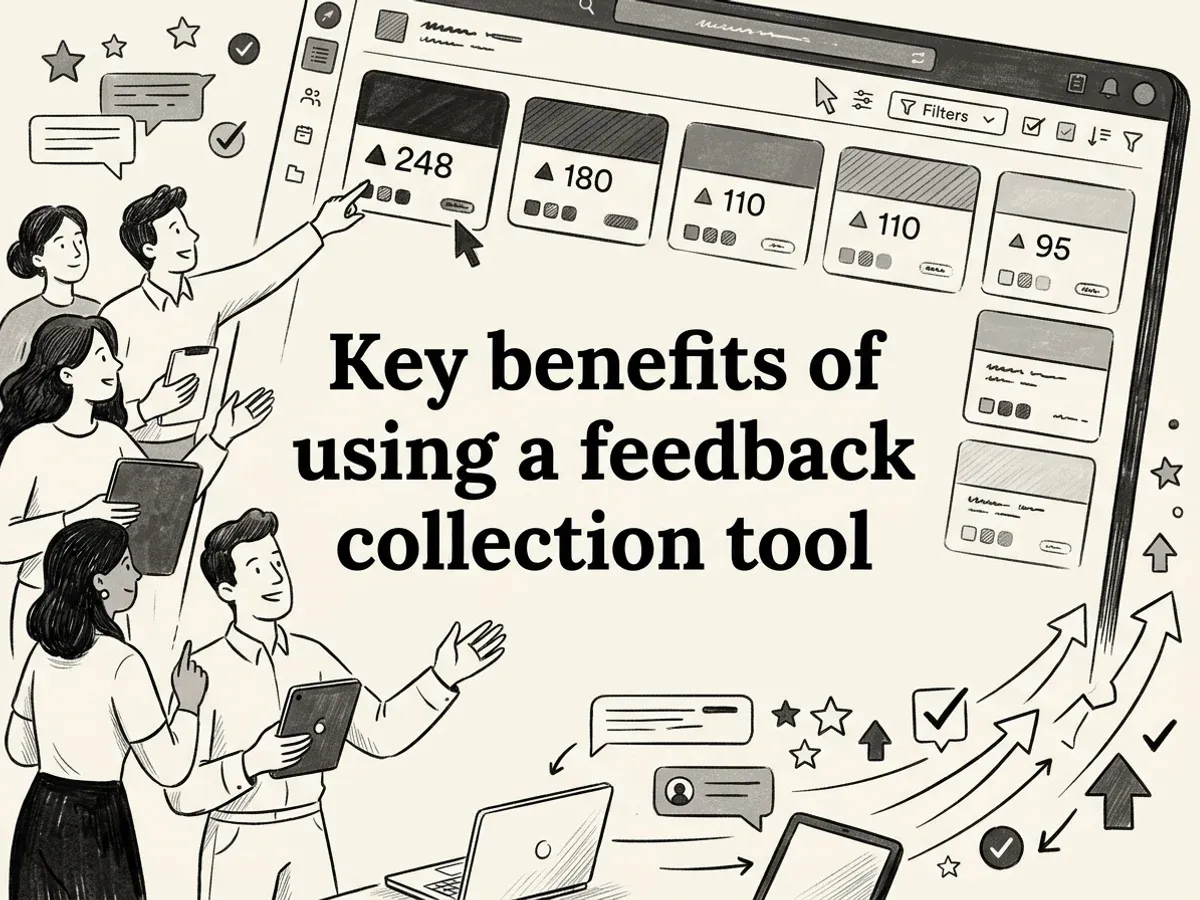
So you understand how feedback tools work mechanically. But why does it actually matter? The difference between teams that build the right things and teams that don't often comes down to one question: where does your feedback live, and who can act on it?
Here is what a dedicated feedback collection tool genuinely changes.
Eliminate scattered feedback
Ideas arrive everywhere. A user emails support. Another drops a suggestion in a community Slack channel. A third mentions something in a chat widget. Without a central home for all of it, good ideas simply disappear into inboxes and notification feeds nobody revisits.
A feedback tool gives every channel one destination. Whether a request comes through an embedded widget, a public board, or a direct submission, it lands in the same inbox. Nothing gets lost because someone forgot to forward a thread.
Reduce duplicate work automatically
When ten users ask for the same feature, they rarely phrase it identically. Left unmanaged, that becomes ten separate tickets for your team to read, tag, and respond to. Multiply that across a busy product and you are spending real hours on work that should not exist.
Tools with AI-powered triage, like Luuphub Pro, merge near-identical requests into a single thread automatically. Instead of a long list of variations on "can you add dark mode," you see one consolidated request with ten votes behind it. That is a meaningful signal, not noise.
Prioritize by real demand
Gut instinct is unreliable at scale. The loudest user is not always the most representative one. Voting surfaces what the majority actually wants, not just what the most persistent person keeps asking for.
When requests are ranked by genuine demand, the conversation in planning meetings shifts from "I think users want X" to "users have voted X above everything else this quarter." That is a much easier decision to defend.
Speed up decision-making
Patterns that would take weeks to spot manually become obvious in a well-organized feedback board. You can see which categories of requests are growing, which bugs keep resurfacing, and which features have stalled in interest. Teams move faster when the signal is already sorted.
Improve customer satisfaction by closing the loop
Most feedback tools are good at collecting and quietly bad at answering. Users submit ideas and hear nothing. That silence erodes trust faster than a slow feature release ever could.
Closing the loop, notifying every voter when a request ships, turns a passive data-collection exercise into an active relationship. Users feel heard, which makes them more likely to engage again. Luuphub handles this automatically: when a request moves to "Shipped," every voter is notified without any manual follow-up from your team.
Align teams around a shared source of truth
Product, support, and engineering often operate from different versions of what users want. A shared feedback board removes that ambiguity. Everyone sees the same requests, the same votes, and the same roadmap status. Fewer meetings, fewer misalignments.
Measure what feedback actually produces
Over time, a feedback tool becomes a record of what you built and why. You can trace a shipped feature back to the original request, see how many users asked for it, and connect that work to retention or revenue outcomes. That kind of accountability is hard to build without a structured system underneath it.
Common challenges and limitations of feedback tools
Every feedback collection tool comes with real constraints and limitations that can impact your data quality and implementation. Knowing these challenges upfront helps you plan around them strategically rather than get blindsided later during deployment or analysis phases.
Implementation and team adoption
Getting a tool live is usually the easy part. Getting your whole team to actually use it is harder. Developers, designers, and support staff all have existing habits, and a new feedback system competes with Slack threads, shared inboxes, and sticky notes. Without a clear owner and a short onboarding process, adoption stalls and the tool becomes shelfware. The fix is usually simplicity: the fewer steps between "user submits feedback" and "team sees it," the better the chances of it sticking.
Managing high feedback volume
Once a feedback channel is open, volume can grow faster than your capacity to read it. A busy product might receive dozens of submissions a day, many of them overlapping. Without some form of triage, the inbox becomes a source of anxiety rather than clarity. This is where AI-assisted tools earn their keep. Luuphub Pro, for example, automatically sorts incoming submissions as ideas or bugs and merges duplicate requests into a single thread, so your team is working from a clean, deduplicated list rather than a pile of near-identical tickets.
Distinguishing signal from noise
Even after triage, not every request deserves action. Vocal users often over-represent edge cases. A single loud complaint can look like a widespread problem if you have no way to measure actual demand. Voting systems help here because they let the broader user base weigh in passively, surfacing what most people want rather than what the most persistent person keeps asking for.
Privacy and data security
User submissions contain sensitive information: names, email addresses, descriptions of workflows, sometimes business-critical details. Any feedback collection tool you adopt needs to meet your data obligations, particularly if you operate under GDPR or handle data for clients. It is worth checking how long submissions are stored, whether data is used to train third-party AI models, and what export or erasure options exist before you commit.
Integration complexity
Connecting a feedback tool to your existing stack, whether that is Slack, a project management system, or a development workflow, can add friction. Some tools require custom API work; others offer native integrations that take minutes. Mismatched integrations create duplicate work and undermine the whole point of centralizing feedback.
What feedback tools cannot do
Two honest limitations are worth naming. First, collecting feedback does not automatically produce good product decisions. The tool surfaces what users say they want; judgment about what to build still belongs to your team. Second, users describe current pain points, not future possibilities. Feedback is a rearview mirror, not a windshield. The best teams use it as one input alongside market research, usage data, and their own product intuition.
How to get started: implementation and setup
Getting a feedback collection tool live is rarely the hard part. The harder part is setting it up in a way that actually sticks, so feedback flows in, gets acted on, and users hear back. Here is a practical sequence that works whether you are a solo maker or a product team of ten.
See how Luuphub Free handles feedback collection tool Luuphub Free.
Step 1: Choose your tool based on team size, budget, and feature needs
Before you install anything, be honest about what you actually need. A solo indie hacker running two SaaS products has very different requirements from an agency managing feedback across fifteen client sites. Map your must-haves: How many sites do you need to cover? Do you need AI-powered triage, or will manual sorting do for now? Do integrations with Slack or Zapier matter on day one?
If you are just starting out, beginning on a free tier lets you validate the workflow before committing budget. Luuphub's free plan, for example, covers one site with a full widget, voting, roadmap board, and changelog at no cost, with no credit card required.
Step 2: embed or integrate your collection channels
Once you have chosen your tool, get the collection surface in front of users as quickly as possible. Most modern feedback tools offer a lightweight embed, typically a single script tag, that drops a widget directly onto your site or app. Pair this with a standalone portal link you can share in onboarding emails or your help docs.
Resist the urge to build an elaborate setup before you have real submissions. A widget that is live and imperfect beats a perfect widget that ships next quarter.
Step 3: set up your board structure
A clear board structure is what separates a feedback inbox from a feedback system. The standard four-stage flow works well for most teams: Under review, Planned, Building, Shipped. These stages give users visibility into where their request stands, and they give your team a shared language for talking about the pipeline.
Luuphub's board is built around exactly this structure, so each submission can move through stages while voters receive automatic notifications at every transition. That last step, notifying users when something ships, is where most tools fall short and where the loop actually closes.
Step 4: define submission guidelines and moderation policies
Before you go live, decide what a good submission looks like and write it down. Should users describe the problem or the solution? Are bug reports handled here or routed to a separate tracker? What happens to off-topic submissions?
A short pinned note on your board or a placeholder in the widget description goes a long way toward improving submission quality from day one.
Step 5: train your team on the workflow and responsibilities
Assign clear ownership. Who triages new submissions each week? Who moves cards across the board? Who writes the changelog entry when something ships? Without named owners, feedback boards quietly go stale.
A thirty-minute walkthrough with your team, covering the board stages, triage criteria, and notification settings, is usually enough to get everyone aligned.
Step 6: configure notifications and integrations
Connect your feedback tool to the places your team already works. Slack notifications for new high-voted submissions keep the signal visible without requiring anyone to log in daily. Webhooks and Zapier connections let you pipe data into project management tools or trigger automations when a card changes status. On Luuphub's Pro plan, these integrations are available alongside the REST API and MCP server, which lets AI agents read prioritized requests and act on them directly.
Step 7: launch and promote to your user base
A feedback board no one knows about collects nothing. Announce it in your product, your newsletter, and your onboarding sequence. A simple message, "We read every request and close the loop when it ships," sets the right expectation and encourages genuine participation.
Step 8: establish a cadence for reviewing and prioritizing feedback
Pick a rhythm and protect it. Many teams find a weekly thirty-minute triage session sufficient to keep the inbox manageable. The goal is not to action everything immediately but to ensure nothing sits unread long enough to feel ignored. A consistent cadence is what turns a feedback tool into a genuine product input rather than a graveyard of good ideas.
Best practices for feedback collection and prioritization
You have your tool set up and your cadence established. Now the question shifts from how to collect feedback to how to collect it well. The difference between a feedback system that shapes your roadmap and one that quietly accumulates noise comes down to a handful of habits practiced consistently.
Make submission as easy as possible
Every extra field, every required login, every modal that takes three clicks to dismiss is a user who gives up and says nothing. Keep your submission form to the bare minimum: a text box and, optionally, a category. Resist the urge to ask for email, job title, or use case upfront. You can follow up later. The goal at this stage is volume and honesty, and friction kills both.
Encourage voting actively
Collecting requests is only half the job. Votes are what separate a genuine pattern from a single loud voice. Prompt users to vote on existing requests before submitting a new one, and make the voting action obvious. A well-voted board gives you a ranked list of real demand rather than a flat pile of opinions. Tools like Luuphub make voting available on the free tier, so even small teams can start building a demand signal from day one without any configuration overhead.
Deduplicate ruthlessly
Duplicate requests are one of the most common sources of bad prioritization decisions. If the same feature request arrives twenty times under slightly different descriptions, and you treat each as a separate item, your board becomes unreadable. Merge aggressively. On Luuphub's Pro plan, AI handles this automatically, merging near-identical submissions into a single thread so the vote count reflects true demand rather than fragmented repetition.
Combine votes with business signals
User votes are valuable, but they are not the whole picture. A feature requested by ten enterprise customers who collectively represent a significant share of your revenue deserves more weight than a feature requested by a hundred free-tier users who are unlikely to convert. Layer in what you know: support ticket volume, churn reasons, sales call objections, and revenue impact. The best prioritization decisions sit at the intersection of user demand and business consequence.
Show users what is planned and why
Transparency is not just good manners. It reduces repeat submissions, builds trust, and signals that the feedback system is real rather than performative. A public roadmap with clear status labels ("under review," "planned," "building," "shipped") answers the question users are silently asking: did anyone read this?
Close the loop every time
Notifying voters when their request ships is the single most underused practice in product feedback. It turns a passive submission into a moment of genuine satisfaction, and it gives users a reason to keep engaging with your feedback channel. Luuphub automates this step: when you move a request to "shipped," every voter receives a notification without any manual follow-up required.
Set clear criteria to avoid analysis paralysis
A prioritized backlog is only useful if you can make decisions from it. Define in advance what threshold of votes, revenue impact, or strategic alignment moves something from "under review" to "planned." Without criteria, every review session becomes a debate rather than a decision. Simple rules, applied consistently, are far more effective than elaborate scoring frameworks that nobody updates.
Tools and resources for feedback collection
Having the right frameworks in place matters, but the tools you choose to execute them can make or break your feedback workflow. This section covers the platforms worth knowing, how they compare, and the templates and resources that help you hit the ground running.
Popular feedback collection platforms and their strengths
The market for feedback tools spans a wide range, from lightweight widgets to full-scale customer research suites. Here is a quick orientation:
- Canny is well-regarded for public roadmaps and upvoting, popular with SaaS teams that want users to self-organize requests.
- UserVoice targets enterprise teams with robust admin controls and CRM-style segmentation, though its pricing reflects that audience.
- Typeform and Google Forms work well for structured surveys but lack the ongoing, always-on collection that product teams typically need.
- Productboard connects feedback to strategy layers and is a strong fit for larger product organizations with dedicated PMs.
- Luuphub is built for indie hackers, small product teams, and agencies who want the full loop, from collection through prioritization to changelog, without assembling a stack of separate tools. The free tier covers one site with a widget, voting board, roadmap view, and changelog. On Pro, AI triage sorts incoming submissions into ideas and bugs, merges duplicates automatically, and ranks requests by actual demand, which is particularly useful when volume starts to outpace your reading time.
Comparison at a glance
| Tool | AI prioritization | Roadmap + changelog | White-label | Free tier | Pricing model |
|---|---|---|---|---|---|
| Canny | Limited | Yes | No | Limited | Per-user seats |
| UserVoice | Yes | Yes | No | No | Enterprise |
| Productboard | Yes | Yes | No | No | Per-seat |
| Typeform | No | No | No | Yes | Responses-based |
| Luuphub | Yes (Pro+) | Yes | Yes (Studio) | Yes | Sites + AI volume |
One notable difference: Luuphub's pricing is never based on tracked users or MAU, which means a high-traffic site on the free tier still bills nothing. That is a meaningful distinction if you are growing fast and want predictable costs.
Integration ecosystem
Feedback tools deliver the most value when they connect to the rest of your stack. Look for:
- Webhooks and Slack notifications to route new submissions into your existing triage channels
- REST API or MCP support for teams using AI coding agents like Claude Code or Cursor, which can read top-voted requests and open pull requests automatically
- Zapier connections to bridge feedback boards with project management tools like Linear, Jira, or Notion
Templates to accelerate your setup
You do not need to build everything from scratch. A few reusable templates save significant time:
- Feedback submission guidelines posted on your public board, explaining what makes a useful request
- Prioritization scorecard using impact, effort, and strategic fit as columns, scored 1 to 5
- Roadmap update template for changelog posts: what shipped, why it was prioritized, and who asked for it
Documentation and learning resources
Most platforms publish developer docs, quickstart guides, and changelog histories worth reading before you commit. For Luuphub specifically, the developer docs cover the MCP server, REST API, and webhook setup in detail. Beyond vendor docs, the communities around Indie Hackers and Product Hunt regularly surface real-world implementation patterns that no official guide covers.
Future trends in feedback collection and analysis
The feedback collection tool landscape is shifting fast. What felt like a premium feature two years ago, like AI-powered deduplication or automated prioritization, is quickly becoming the baseline expectation. If you're choosing a tool today, it's worth understanding where the category is heading so you don't outgrow your stack in twelve months.

AI analysis moves from novelty to necessity
Clustering, summarization, and automatic prioritization are no longer differentiators. They're becoming table stakes. The real evolution is in how AI surfaces signal rather than just organizing noise. Instead of reading 400 raw submissions, teams increasingly expect their tools to surface the three themes that actually matter this sprint, complete with a ranked list of which requests carry the most weight. Luuphub Pro already reflects this direction: its AI triage layer sorts incoming submissions as ideas or bugs, merges near-identical requests into single threads, and ranks by real demand, so the highest-impact work rises to the top without manual review.
Feedback unification across every channel
Right now, most teams are stitching together feedback from support tickets, app store reviews, NPS surveys, sales calls, and community forums, often manually. The next wave of tooling will pull all of these into a single prioritized view. The goal is one inbox that reflects the full picture of user sentiment, not just the slice that happened to land in your feedback widget.
Conversational and voice-first collection
Text forms are giving way to richer input methods. In-product micro-surveys, SMS-triggered feedback flows, and voice or video notes are gaining adoption because they reduce friction at the moment users actually feel something. Luuphub already supports voice and video note submissions with transcription, which captures the emotional texture of feedback that a typed sentence often loses.
Closed-loop automation via AI agents
Perhaps the most significant shift is the move toward fully automated closed loops. AI agents that can read prioritized feedback, open a pull request, ship the fix, and notify every user who asked for it are no longer science fiction. Luuphub's MCP integration lets you point tools like Claude Code or Cursor directly at your feedback board, so the path from "most-requested" to "shipped" can happen with minimal human handoff.
Revenue and churn signals embedded in feedback
Expect feedback tools to increasingly connect qualitative input to business outcomes. Linking a feature request to a churned account, or flagging that your three highest-value customers all asked for the same thing, turns feedback from a product exercise into a revenue conversation. This connection between what users say and what they do financially is where the category has the most room to grow.
Conclusion: from feedback to shipped features
Every feedback collection tool in this guide exists to serve the same underlying goal: building things people actually want. But collecting feedback is only the first step. The real value comes from what happens next.
The journey worth completing
Throughout this guide, the same sequence has surfaced repeatedly: collect, organize, prioritize, act, and communicate. Each stage matters, but the one most teams skip is the last one. Closing the loop, telling users that the thing they asked for has shipped, is what turns a passive feedback inbox into an active relationship. Users who feel heard come back. Users who submit ideas into a void eventually stop.
This is why the tool you choose matters less than the habit you build around it. A simple setup that reliably closes the loop will outperform a sophisticated stack that nobody maintains.
Start small, then iterate
If you are just getting started, resist the urge to build the perfect system before collecting a single piece of feedback. Pick one channel, get it in front of real users, and see what comes back. Luuphub's free tier, for example, lets you embed a widget, collect requests, and move them across a public roadmap for one site with no credit card required. That is enough to establish the habit before you invest in anything more.
Once the habit is there, you can layer in prioritization, AI triage, and automation as your volume grows.
Your next three steps
Concrete next steps to take away from this guide:
- Choose a tool that matches your current team size and feedback volume, not your aspirational one
- Set up at least one collection channel this week, even if it is imperfect
- Define who owns the inbox and how often requests get reviewed
The gap between "we collect feedback" and "we ship what users ask for" is smaller than it looks. The loop closes one step at a time.
Glossary of feedback collection terms
This glossary provides quick reference definitions for key terms used throughout this guide on feedback collection. Bookmark this section if you find yourself returning to specific concepts or need clarification on industry terminology and methodologies.
Core concepts
Feedback: Any input from a user about their experience, needs, or problems with a product. This includes praise, complaints, requests, and bug reports.
Feature request: A user's ask for new functionality that does not currently exist in the product.
Bug report: A submission describing something that is broken or behaving unexpectedly.
Idea: A broader, less defined suggestion, often somewhere between a feature request and a wish.
Triage: The process of reviewing incoming submissions, categorizing them, and deciding what deserves attention. Luuphub Pro handles this automatically, sorting each submission as an idea or a bug as it arrives.
Deduplication: Merging multiple submissions that describe the same underlying request into a single thread, so you see true demand rather than repeated noise.
Clustering: Grouping related but distinct submissions into themes, useful for spotting patterns across large volumes of feedback.
Prioritization and workflow
Voting: A mechanism that lets users signal which requests matter most to them, surfacing genuine demand over the loudest voice.
Prioritization: Ranking requests by impact, effort, or demand to decide build order.
Roadmap: A shared view of what is planned, in progress, and shipped, visible to users and the team alike.
Closed-loop feedback: The practice of notifying users when something they requested has been acted on or shipped. It is the step most tools skip.
Sentiment analysis: Automated detection of whether feedback carries a positive, negative, or neutral tone.
Technical terms
API (Application Programming Interface): A programmatic way to read or write data, letting you connect your feedback tool to other systems.
Webhook: An outbound notification sent automatically when a specific event occurs, such as a new submission or a status change.
MCP (Model Context Protocol): A standard that lets AI agents read and act on structured data. Luuphub Pro and Studio expose an MCP server so tools like Claude Code or Cursor can read top-voted requests and open pull requests directly.
Feedback collection checklist and templates
Think of this section as your tear-out reference. Bookmark it, copy it into Notion, or print it out. These checklists and templates are designed to save you setup time and keep your feedback process running smoothly long after launch.
Pre-launch checklist
Before you go live with any feedback collection tool, run through these steps:
- Tool selection: Confirm the tool covers your core needs: collection, voting, prioritization, and closing the loop with users
- Setup: Embed the widget or portal, configure your roadmap stages, and test a live submission end-to-end
- Team training: Make sure every admin knows how to triage, tag, and move items across the board
- Promotion: Add a visible link or widget trigger to your app, site, or onboarding flow so users can actually find it
Luuphub covers the full setup in minutes with a single script tag, and the free tier gives you the widget, voting, roadmap, and changelog for one site with no credit card required.
Ongoing checklist
Keep momentum with a lightweight weekly rhythm:
- Weekly review: Scan new submissions, merge obvious duplicates, and triage anything uncategorized
- Prioritization: Score open requests against the framework below
- Communication: Update statuses so voters get notified automatically
- Roadmap updates: Move shipped items to "Shipped" and draft a changelog entry
Template: prioritization framework
Score each request out of 5 across four dimensions, then sum the totals:
| Dimension | Score (1-5) |
|---|---|
| User demand (vote count, frequency) | |
| Business alignment (strategic fit) | |
| Impact (value delivered if shipped) | |
| Effort (inverse: low effort = high score) |
Items scoring 16 or higher are strong candidates for your next sprint. On Luuphub Pro, AI triage and ranking do much of this scoring automatically, surfacing the highest-demand requests before you even open the inbox.
Template: roadmap communication email
Use this when a feature ships:
Subject: [Feature name] is live, thanks to you
Hi [Name],
You asked for [feature], and we shipped it. Here is what changed: [one-sentence description].
[Link to changelog or feature]
Got more ideas? Keep them coming: [feedback link]
Thanks for helping us build a better product.
Short, specific, and personal. That is the whole formula for closing the loop well.
Frequently asked questions
What is the best feedback collection tool?
It depends on your team size, budget, and what you need to do with feedback once it arrives. A solo maker needs something lightweight and affordable; a product team needs voting, AI triage, and roadmap integration. Start by matching the tool to your actual workflow rather than chasing the longest feature list.
How do I collect customer feedback?
Use multiple channels: an in-product widget for passive capture, a public portal for ongoing requests, and support integrations to pull in tickets automatically. The goal is to funnel everything into one place so nothing gets lost in Slack or email threads.
What is the difference between a feedback tool and a survey tool?
Survey tools are designed for one-time, structured data collection. A dedicated feedback collection tool is built for ongoing, continuous input, with features like voting, duplicate merging, roadmap tracking, and automated follow-up. The scope is fundamentally different.
How do I collect product feedback from users?
Embed a widget directly in your product so users can submit requests without leaving the page. Pair that with a public board where they can vote on existing ideas, which surfaces real demand without you having to interpret raw text.
What features should a customer feedback tool have?
Look for collection, voting, AI-powered organization, roadmap management, and a way to communicate back to users when something ships. That last piece, closing the loop, is what most tools skip. Luuphub covers all of these, including automated voter notifications when a feature is marked shipped.
How can I organize and prioritize feature requests?
Combine user voting with tagging and business-impact frameworks like RICE or ICE. AI-assisted triage can also merge duplicate requests automatically, so you see true demand rather than inflated counts from near-identical submissions.
How do I collect feedback without sending surveys?
In-product widgets, public feedback boards, and community forums all capture input passively. Users submit when they have something to say, which tends to produce more actionable signal than survey responses gathered on your schedule.
Are customer feedback tools worth it?
Yes, but only if your team actually acts on what comes in. The ROI comes from building the right things faster and reducing churn from users who feel ignored. A free tier like Luuphub's lets you test the workflow before committing any budget.